How to Register for OCA Java 1Z0-808 Exam in 2026 — Step-by-Step
A complete step-by-step guide — from creating your Oracle account to completing the bank transfer payment (India).
Steps at a Glance
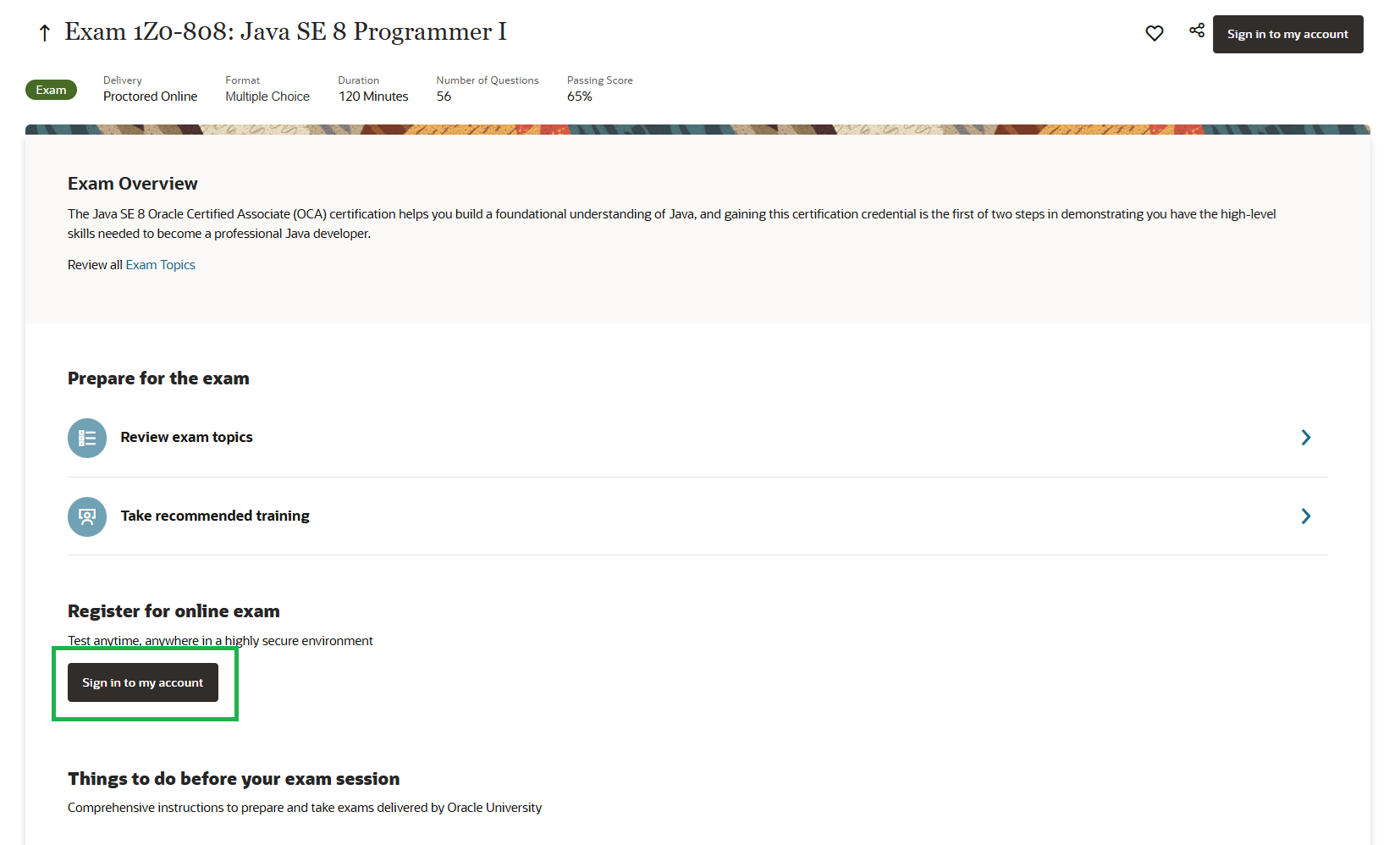
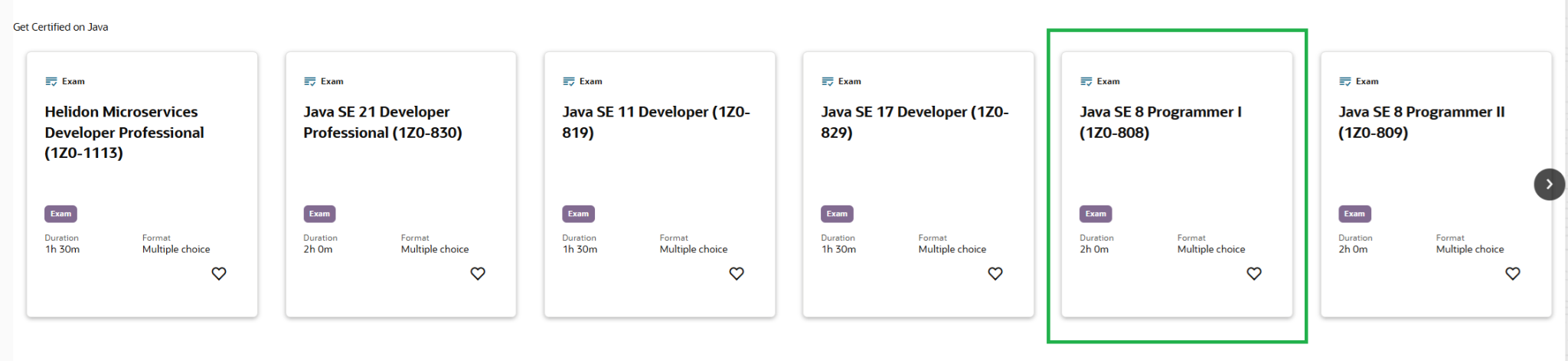
Go to the Exam Page on Oracle MyLearn
Open Oracle MyLearn and navigate directly to the Java SE 8 Programmer I (1Z0-808) exam page. This page shows you the full exam overview, delivery format, duration, number of questions, and passing score.
Create an Oracle Account & Sign In
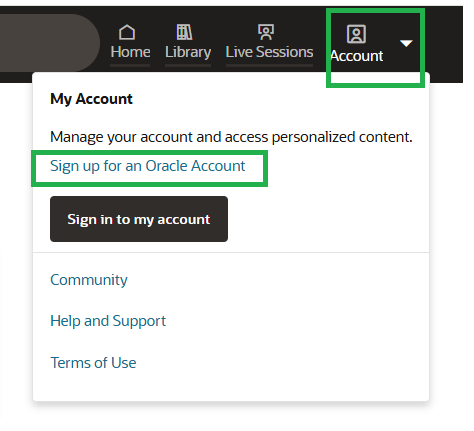
If you don't have an Oracle account yet, click the Account icon (top-right) and choose Sign up for an Oracle Account. Registration is free.
Sign In & Click "Buy Exam"
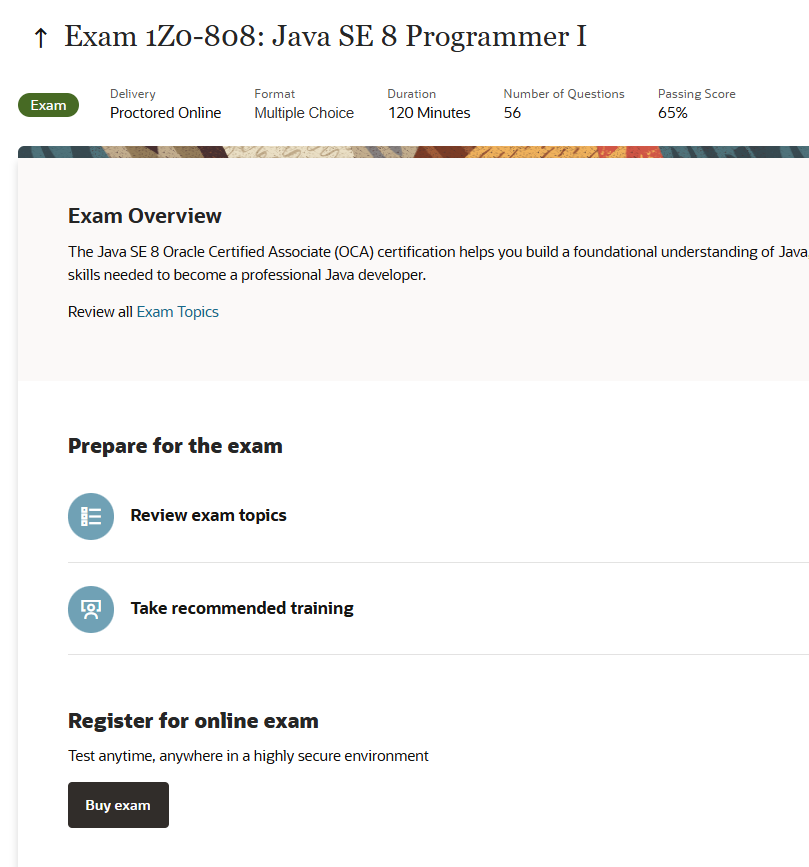
After signing in, return to the 1Z0-808 exam page. Scroll down to the "Register for online exam" section and click the Buy exam button. This will redirect you to the Oracle Education purchase portal.
Select "Oracle Technology Exam Subscription"
You will land on Oracle's exam purchase page. You'll see three subscription options — select the one highlighted in green: Oracle Technology Exam Subscription (one single-use exam for a technology or OCI certification).
Click View included exams to verify that Java SE 8 Programmer I (1Z0-808) is included before proceeding.
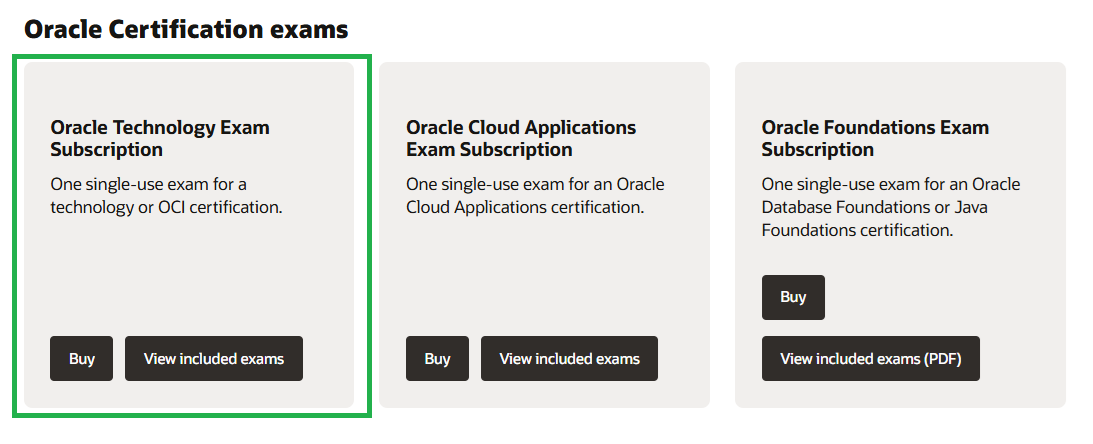
After confirming, click Buy on the Oracle Technology Exam Subscription card. You will be taken to the Order Request page.
Fill In the Order Request Form
The Order Request page collects your details and payment information. Fill in all mandatory fields marked with a red asterisk (*):
Order Type: Select Private User (you are an individual purchasing for yourself).
Customer Details (used as Billing Address): Enter your First Name, Last Name, Email ID, Phone Number, PAN Number, and your complete address including Postal Code, City, and State. Country will be pre-set to IN for India.
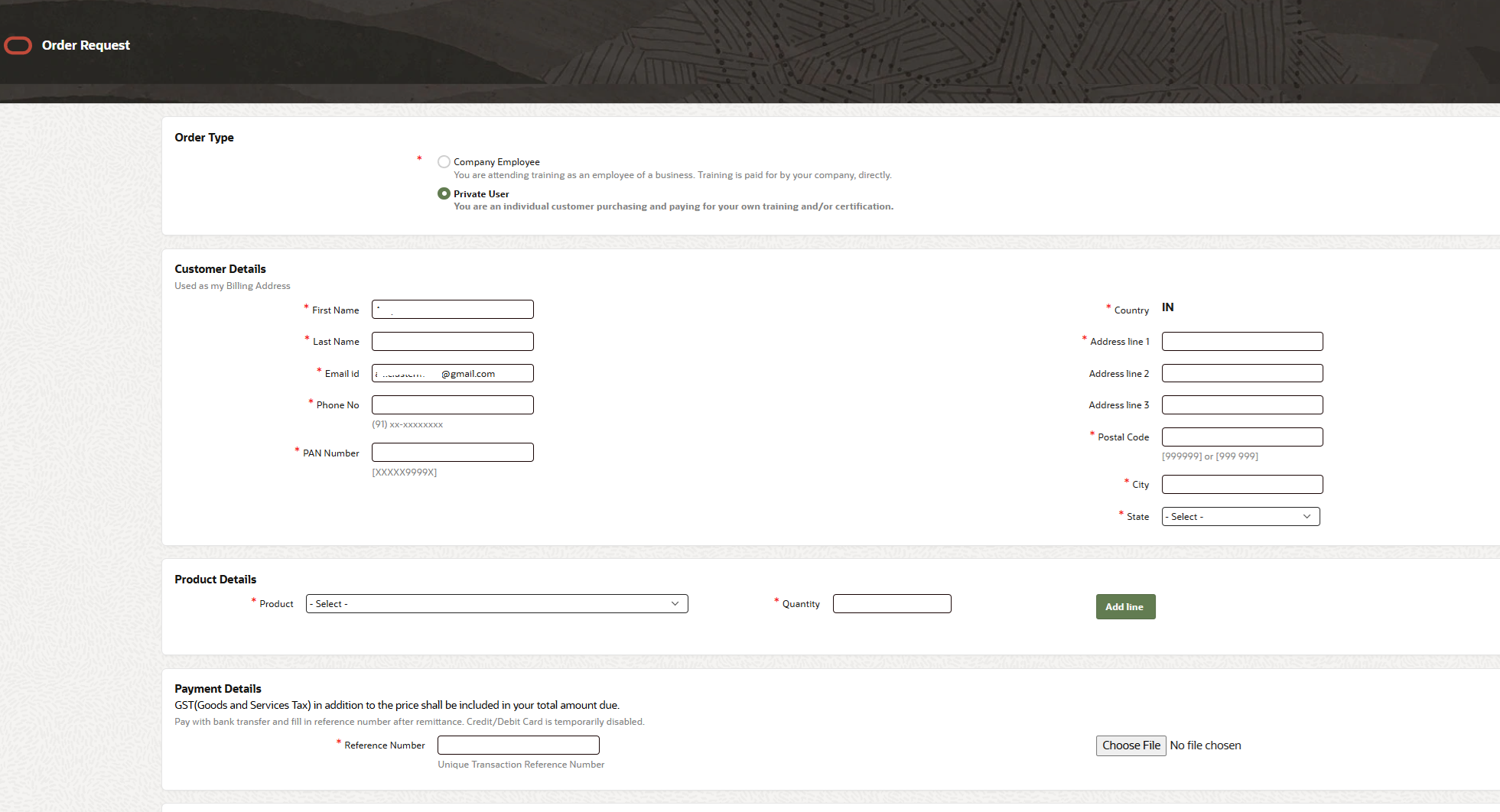
Select the Product & Click "Add Line"
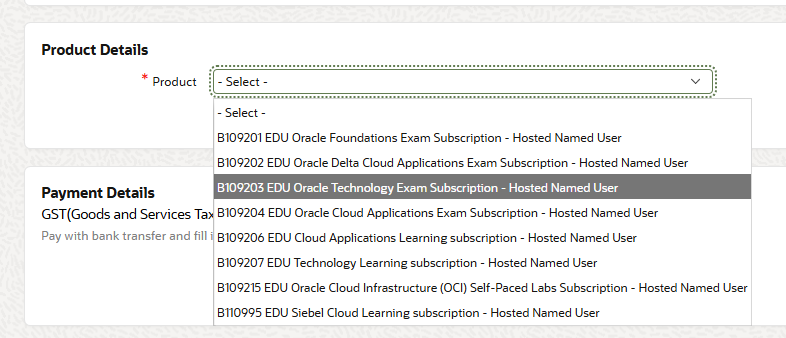
In the Product Details section of the Order Request form, use the Product dropdown and select:
B109203 EDU Oracle Technology Exam Subscription – Hosted Named User
Set Quantity to 1, then click the "Add Line" button. The item will appear in the product table below.

Make the Bank Transfer Payment (India)
For the exact pricing, contact Oracle University Support → Order Support → Log a Ticket. Pricing is subject to the current order date and may vary.
The Oracle India bank details (as of February 2026 — please verify on the page before transferring) are:
| Field | Details |
|---|---|
| Account Name | Oracle India Private Limited |
| Bank | Citibank N.A. |
| Address | Level 5, Commerce @ Mantri, N.S. Palya Bannerghatta Road, Next to Shoppers Stop, Bengaluru-76, Karnataka, India |
| INR Bank A/c | 0002240009 |
| MICR Code | 110037002 |
| IFSC Code (NEFT) | CITI0000002 |

Submit the Transaction Reference & Complete Order
Return to the Order Request page (Payment Details section). In the Reference Number field, enter your Unique Transaction Reference (UTR) number from your bank transfer.
Use the Choose File button to upload a copy or screenshot of the transaction confirmation from your bank.
Once done, click Submit. Oracle will process your order and send confirmation to your registered email. After confirmation, you can log back into MyLearn to schedule your exam via Pearson VUE (online proctored or test centre).
Ready to Ace the OCA Exam?
Now that you're registered, start practicing with 1,624 exam-realistic questions with detailed explanations — designed to help you pass on your first attempt.
Start Free Trial on JavaLearn →